Online Help Help Center home page
  1. Online Help
  2. Reviews Promoter
  3. Blog

Articles in this section

  • What is the Blog Platform?
  • How do I create a blog post?
  • How do I edit the text format in my blog post?
  • How do I add an image to my blog post?
  • How do I edit an image in my blog post?
  • How do I share a blog post to my social media?
  • How do I schedule a blog post?
  • How do I enable/disable comments on my blog post?
  • How do I add keywords to my blog post?
  • How do I link an image in my blog post?
See more

How do I share a blog post to my social media?

  • December 06, 2021 18:54
  • Updated
To share a blog post to your social media, select the Blog tile.
 
Blog.png
 
Select the pencil icon next to the post.
 
 
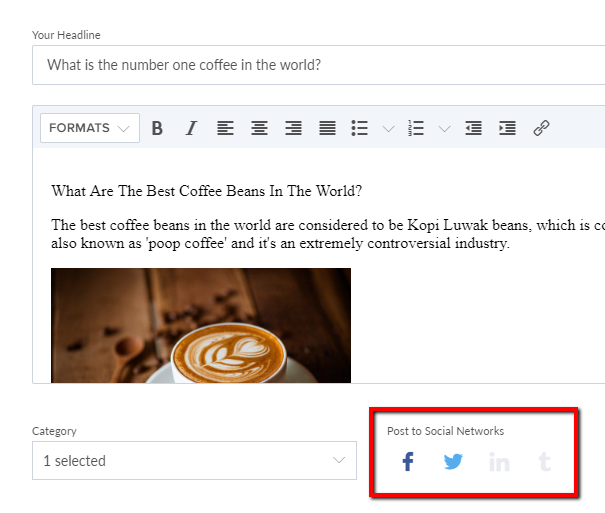
Select the social platforms you want to share your post to.
 
Was this article helpful?
0 out of 0 found this helpful
Return to top

Related articles

  • How do I schedule a blog post?
  • How do I edit the text format in my blog post?
  • Reputation Manager Overview
Български
Dansk
Deutsch
Ελληνικά
Español
Español (México)
Français (Canada)
Français (France)
Hrvatski
Magyar
Italiano
Norsk
Português
Português do Brasil
Română
Shqip