Online Help Help Center home page
  1. Online Help
  2. Website Tools
  3. HTML Editor

Articles in this section

  • Menu functions
  • Creating a New HTML Page
  • Updating/editing to your HTML page
  • Uploading files to the server

Updating/editing to your HTML page

  • November 13, 2018 16:09
  • Updated

1.Select Open from the menu at the top.
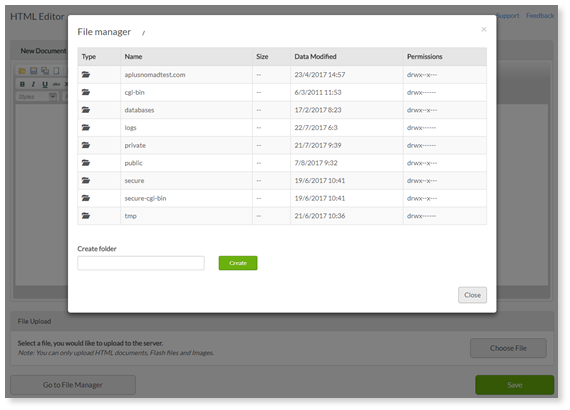

2. Locate and click on the file you wish to edit using the directory list.

3. Make any necessary changes to your page.

4. When you are done, select Save to make your changes permanent.


Was this article helpful?
9 out of 41 found this helpful
Return to top

Related articles

  • Uploading files to the server
  • Creating a New HTML Page
  • Menu functions
  • Managing pages
  • Select a domain
Български
Dansk
Deutsch
Ελληνικά
Español
Español (México)
Français (Canada)
Français (France)
Hrvatski
Magyar
Italiano
Norsk
Português
Português do Brasil
Română
Shqip